This module is compatible only with [**Hyvä Theme**](https://hyva.io/). Luma-based storefronts are not supported.
- Magento Community edition `2.4.4-p9`, `2.4.5-p8`, `2.4.6-p7`, `2.4.7-p1` or higher - PHP `8.1`, `8.2`, `8.3` or `8.4` - [**Hyvä Themes**](https://hyva.io) **installed and activated** - Composer 2.x - OpenSearch configured - SSH/CLI access to the Magento server # Prerequisites ## **ConvertixCheckout for Hyvä Theme**This module is compatible only with [**Hyvä Theme**](https://hyva.io/). Luma-based storefronts are not supported.
#### Before InstallationBefore installing the module, **it is strongly recommended to create a full backup of your Magento instance.**
##### Backup your Magento 2 instance The backup feature is disabled by default. To enable, enter the following CLI command: ```shell php bin/magento config:set system/backup/functionality_enabled 1 ``` **Then:** ```shell php bin/magento setup:backup --code --db ``` ##### Restoring Magento 2 instance **First run:** ``` php bin/magento info:backups:list ``` To check your backups saved into filesystem. **Then run:** ``` php bin/magento setup:rollback -f 1434133011_filesystem.tgz -d 1434133011_db.sql ```Replace **14134133011\_** with your backup file name.
##### Composer repository file backup ``` cp composer.json composer.json.bak cp composer.lock composer.lock.bak ``` #### Recommended Testing Environment Before deploying the module to a production store, it is strongly recommended to test the installation in a development or staging environment first. Recommended environments: - Development domain - Staging server - Local Magento instance This helps validate: - Theme compatibility - Third-party module compatibility - Checkout behavior - JavaScript functionality - Customizations specific to the store Example: ``` dev.yourstore.com staging.yourstore.com ``` # Installation Guide ## **ConvertixCheckout for Hyvä Theme**This module is compatible only with [**Hyvä Theme**](https://hyva.io). Luma-based storefronts are not supported.
##### Maintenance Mode (Optional) ``` php bin/magento maintenance:enable ``` #### Installation Methods ##### **Method 1 - Composer Installation (Recommended**) ```html composer require tmgcode/module-convertixcheckout php bin/magento module:enable TmgCode_ConvertixCheckout php bin/magento setup:upgrade php bin/magento setup:di:compile php bin/magento setup:static-content:deploy -f php bin/magento cache:flush php bin/magento maintenance:disable ``` ##### **Method 2 - Manual Installation** **Extract the module archive into:** ``` app/code/TmgCode/ConvertixCheckout ``` **Then run:** ``` php bin/magento module:enable TmgCode_ConvertixCheckout php bin/magento setup:upgrade php bin/magento setup:di:compile php bin/magento setup:static-content:deploy -f php bin/magento cache:flush php bin/magento maintenance:disable ``` # Activation # Activate module ## **ConvertixCheckout for Hyvä Theme**This module is compatible only with [**Hyvä Theme**](https://hyva.io). Luma-based storefronts are not supported.
##### Activate module **Go to :** ``` Admin -> Stores -> Configuration -> TMGCODE -> Convertix Checkout -> General ``` **Set:** ``` Enable Custom Checkout to YES ``` [](https://docs.tmgcode.ro/uploads/images/gallery/2026-05/image.png) # Configuration # General configuration ## **ConvertixCheckout for Hyvä Theme**This module is compatible only with [**Hyvä Theme**](https://hyva.io/). Luma-based storefronts are not supported.
#### 1. Enable Custom Checkout When disabled, the Hyvä fallback message will be shown instead. #### 1. Checkout Layout 2 Columns: shipping steps left + order summary right. 3 Columns (onepage): address | shipping+payment | summary.| **3 Columns (onepage)** | **2 Columns** |
| [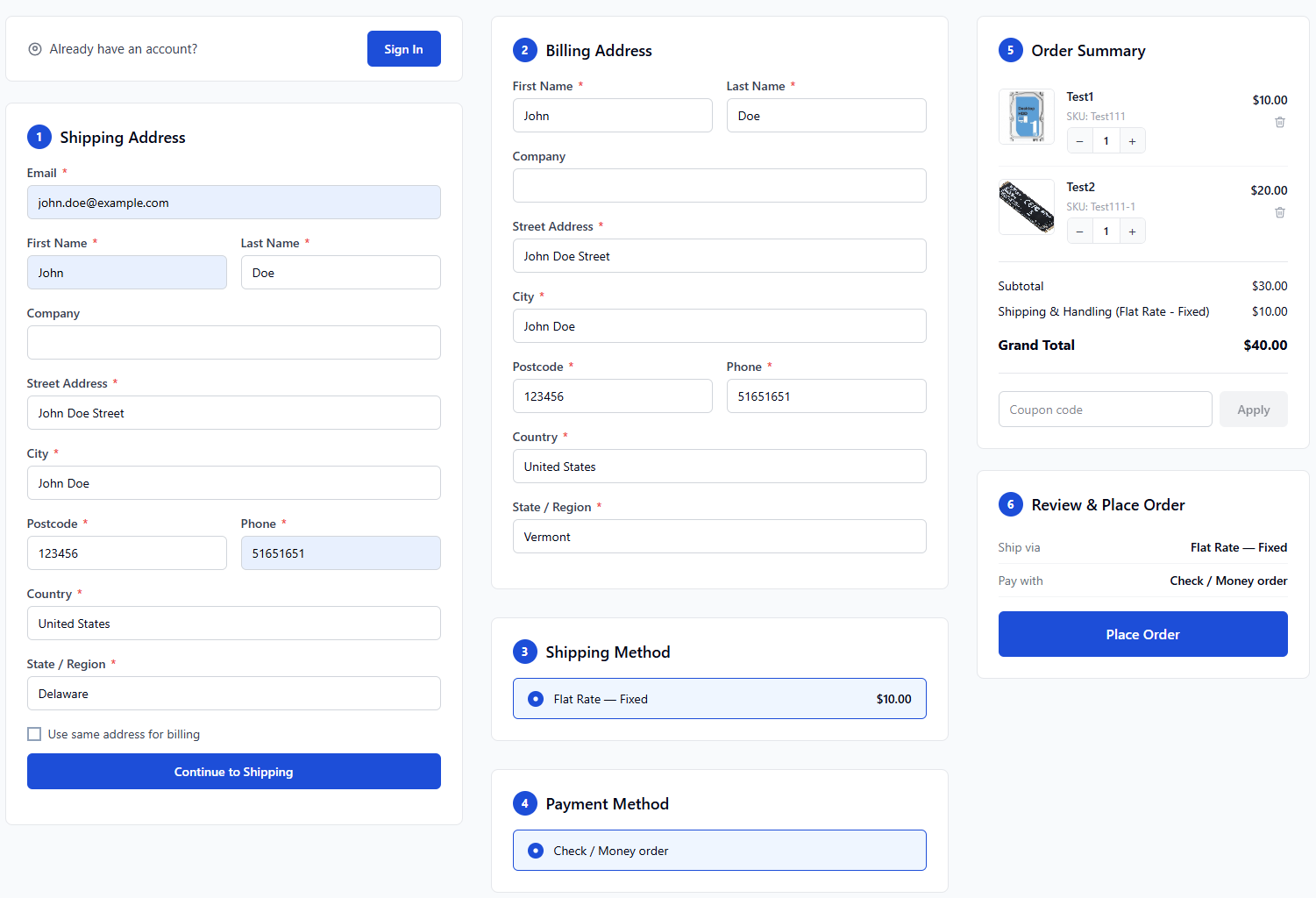](https://docs.tmgcode.ro/uploads/images/gallery/2026-05/HHJimage.png) | [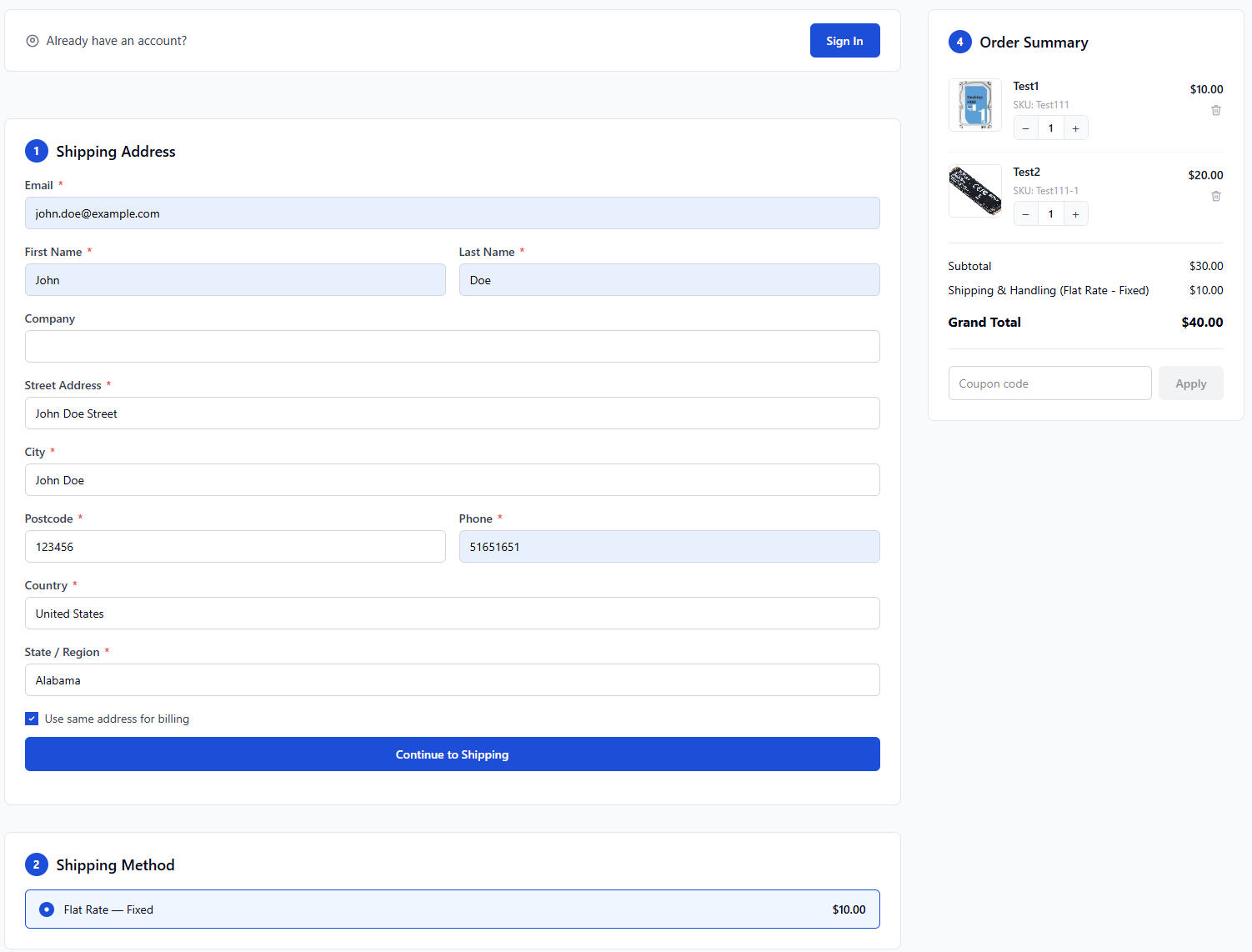](https://docs.tmgcode.ro/uploads/images/gallery/2026-05/E5aimage.png) |
This module is compatible only with [**Hyvä Theme**](https://hyva.io/). Luma-based storefronts are not supported.
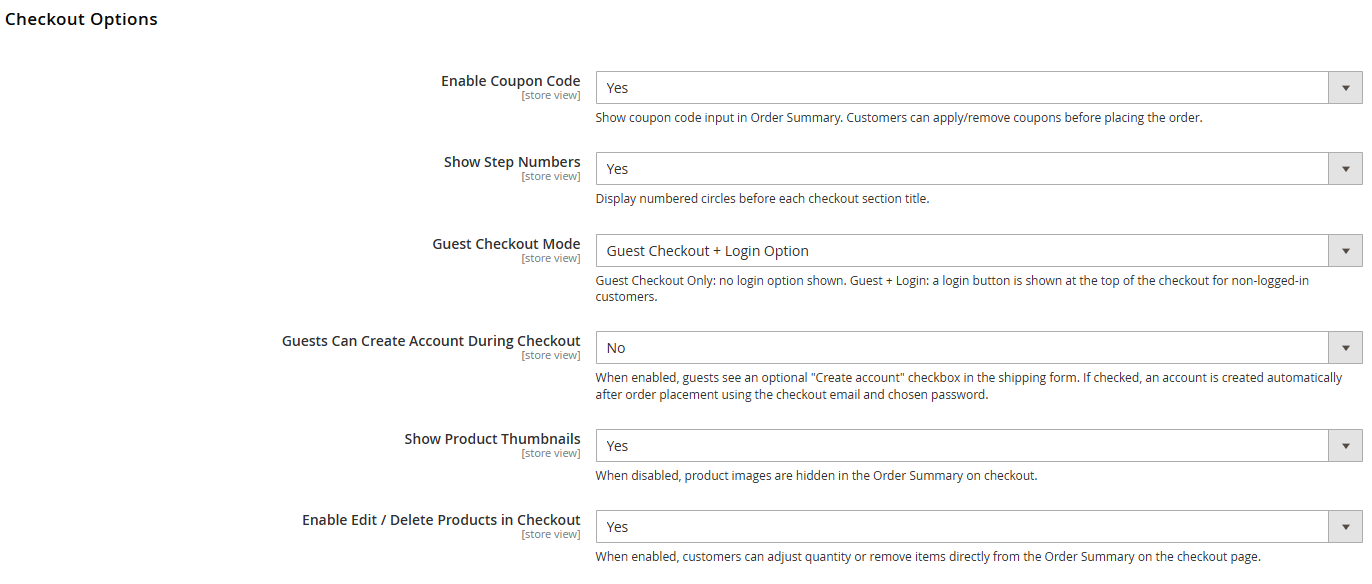#### 1. Enable Coupon Code Show coupon code input in Order Summary. Customers can apply/remove coupons before placing the order. [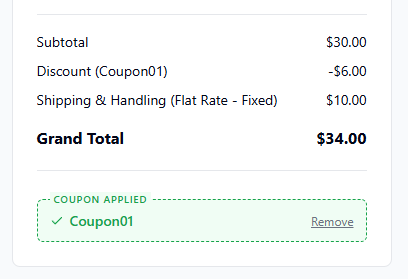](https://docs.tmgcode.ro/uploads/images/gallery/2026-05/9Xeimage.png) #### 2. Show Step Numbers Display numbered circles before each checkout section title.| **YES** | **NO** |
| [](https://docs.tmgcode.ro/uploads/images/gallery/2026-05/eMAimage.png) | [](https://docs.tmgcode.ro/uploads/images/gallery/2026-05/Zggimage.png) |
| **YES** | **NO** |
| [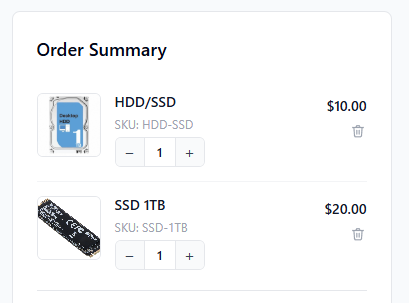](https://docs.tmgcode.ro/uploads/images/gallery/2026-05/cD9image.png) | [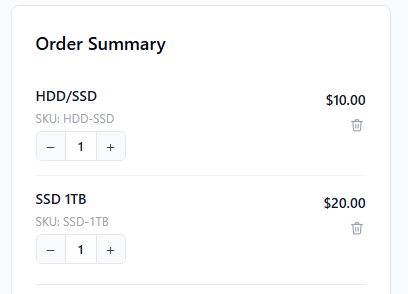](https://docs.tmgcode.ro/uploads/images/gallery/2026-05/GiVimage.png) |
| **YES** | **NO** |
| [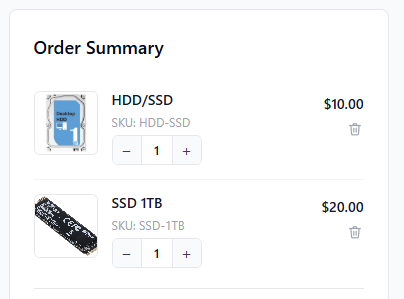](https://docs.tmgcode.ro/uploads/images/gallery/2026-05/s7wimage.png) | [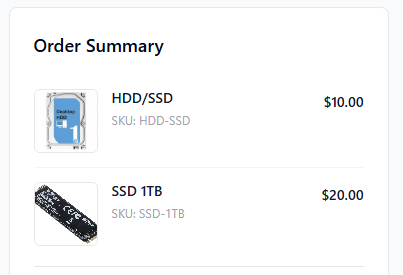](https://docs.tmgcode.ro/uploads/images/gallery/2026-05/zTBimage.png) |
This module is compatible only with [**Hyvä Theme**](https://hyva.io/). Luma-based storefronts are not supported.
[](https://docs.tmgcode.ro/uploads/images/gallery/2026-05/4dZimage.png) #### 1. Primary Color Used for buttons, step number circles, spinner and selected method highlights. Enter a hex value (e.g. #1d4ed8). **Unlimited color configuration using color picker.** [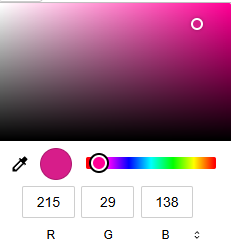](https://docs.tmgcode.ro/uploads/images/gallery/2026-05/ReUimage.png) #### 2. Primary Button Text Color Text color on primary buttons. Default: #ffffff. [](https://docs.tmgcode.ro/uploads/images/gallery/2026-05/SwKimage.png) # Terms & Conditions ## **ConvertixCheckout for Hyvä Theme**This module is compatible only with [**Hyvä Theme**](https://hyva.io/). Luma-based storefronts are not supported.
[](https://docs.tmgcode.ro/uploads/images/gallery/2026-05/O30image.png) #### 1. Enable Terms & Conditions Checkbox When enabled, customer must accept T&C before placing the order. #### 2. Checkbox Label You can set any Terms & Conditions text next to checkbox. [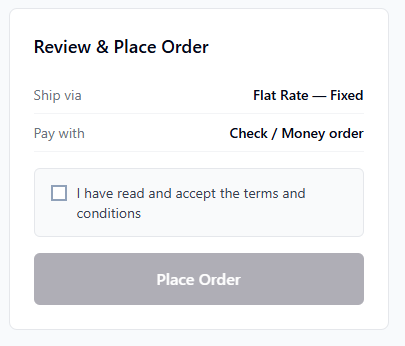](https://docs.tmgcode.ro/uploads/images/gallery/2026-05/6acimage.png) #### 3. Terms Page URL Set Terms & Conditions magento url or use external url instead. **Example:** ``` /privacy-policy-cookie-restriction-mode ``` **Or external link:** ``` https://your-external.link/terms-and-conditions.html ``` [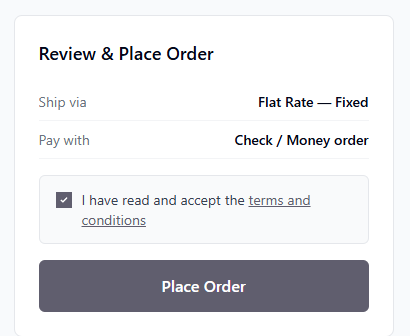](https://docs.tmgcode.ro/uploads/images/gallery/2026-05/WMTimage.png) # Success / Thank You Page ## **ConvertixCheckout for Hyvä Theme**This module is compatible only with [**Hyvä Theme**](https://hyva.io/). Luma-based storefronts are not supported.
[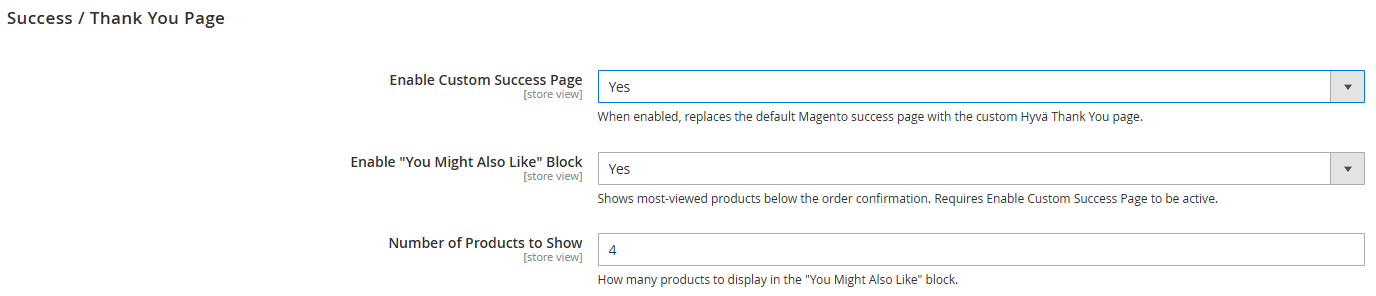](https://docs.tmgcode.ro/uploads/images/gallery/2026-05/JAHimage.png) #### 1. Enable Custom Success Page When enabled, replaces the default Magento success page with the custom Hyvä Thank You page. [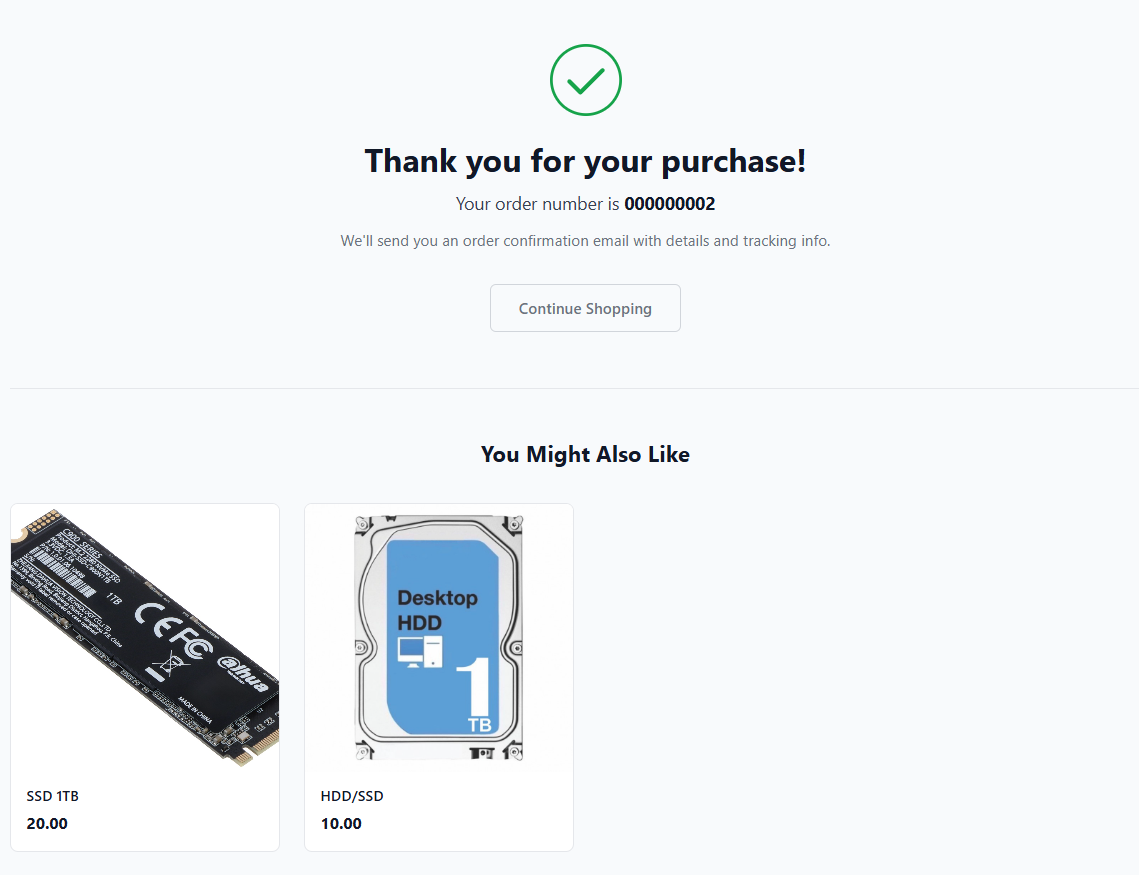](https://docs.tmgcode.ro/uploads/images/gallery/2026-05/BqXimage.png) #### 2. Enable "You Might Also Like" Block Shows most-viewed products below the order confirmation. Requires Enable Custom Success Page to be active. #### 3. Number of Products to Show How many products to display in the "You Might Also Like" block.