Configuration
General configuration
ConvertixCheckout for Hyvä Theme
This module is compatible only with Hyvä Theme. Luma-based storefronts are not supported.

1. Enable Custom Checkout
When disabled, the Hyvä fallback message will be shown instead.
1. Checkout Layout
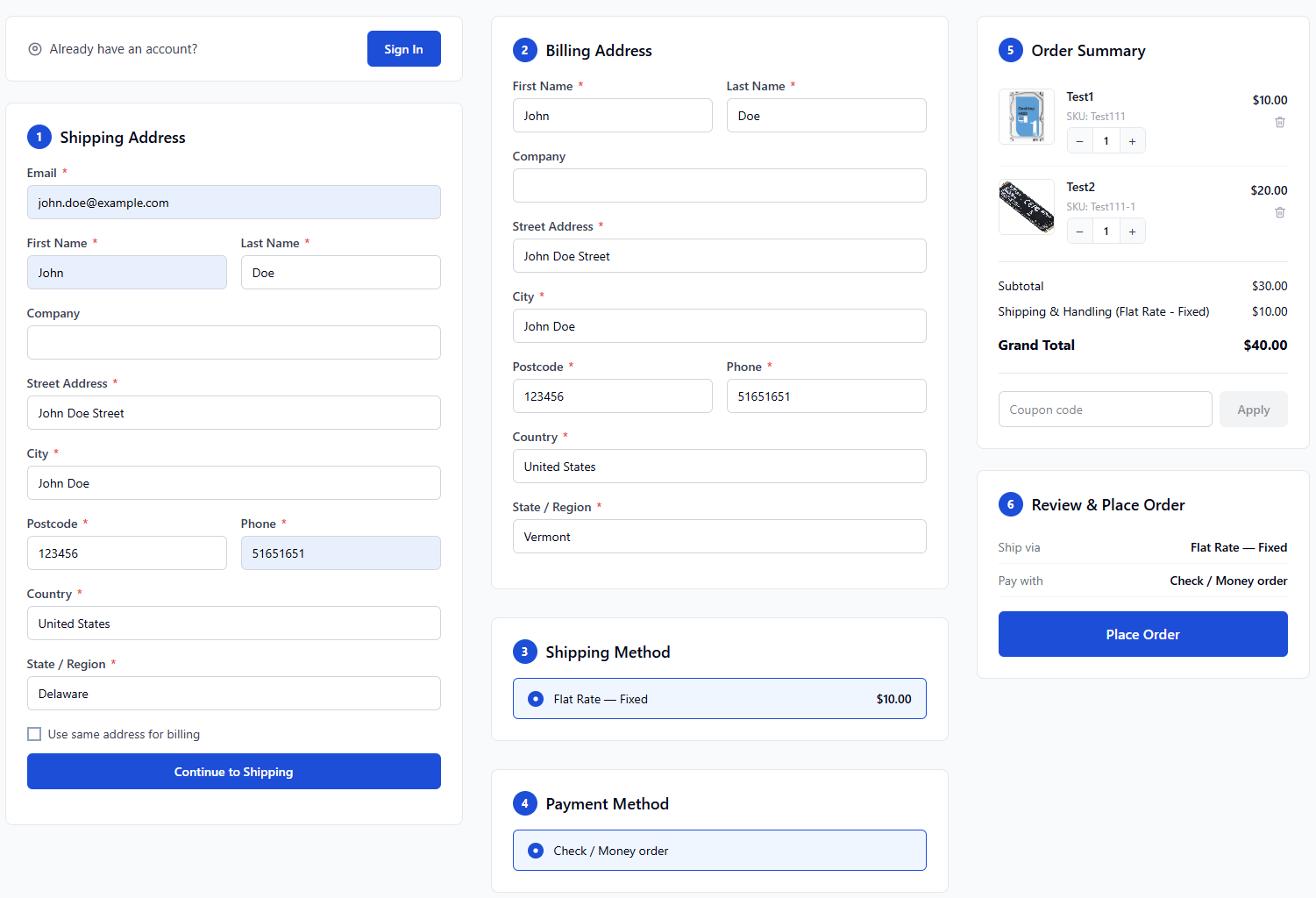
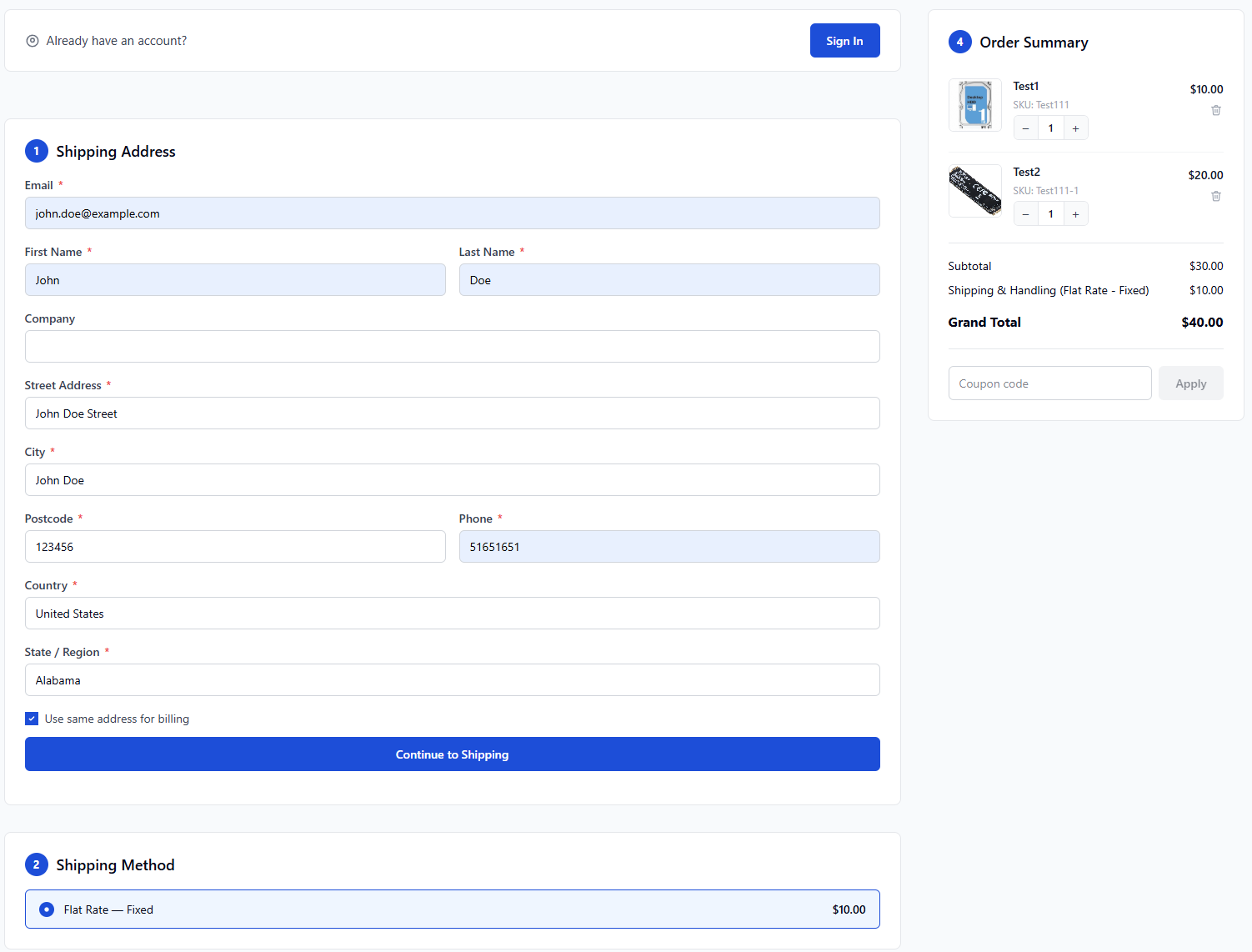
2 Columns: shipping steps left + order summary right. 3 Columns (onepage): address | shipping+payment | summary.
3 Columns (onepage) | 2 Columns |
|
|
Checkout Options
ConvertixCheckout for Hyvä Theme
This module is compatible only with Hyvä Theme. Luma-based storefronts are not supported.

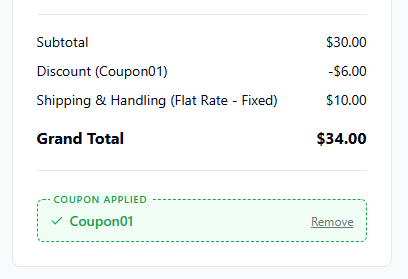
1. Enable Coupon Code
Show coupon code input in Order Summary. Customers can apply/remove coupons before placing the order.
2. Show Step Numbers
Display numbered circles before each checkout section title.
YES | NO |
|
|


3. Guest Checkout Mode
Guest Checkout Only: no login option shown. Guest + Login: a login button is shown at the top of the checkout for non-logged-in customers.
4. Guests Can Create Account During Checkout
When enabled, guests see an optional "Create account" checkbox in the shipping form. If checked, an account is created automatically after order placement using the checkout email and chosen password.
5. Show Product Thumbnails
When disabled, product images are hidden in the Order Summary on checkout.
YES | NO |
|
|
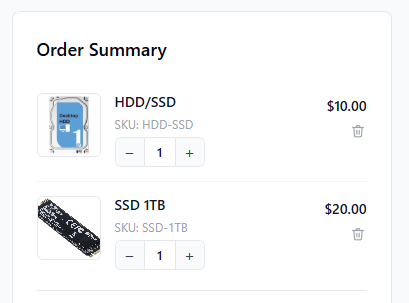
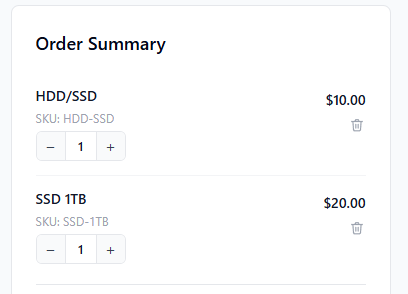
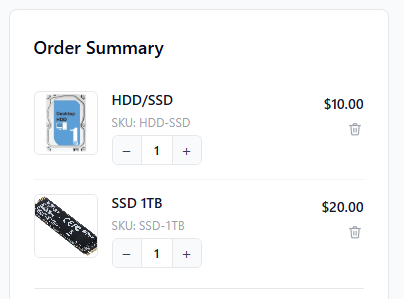
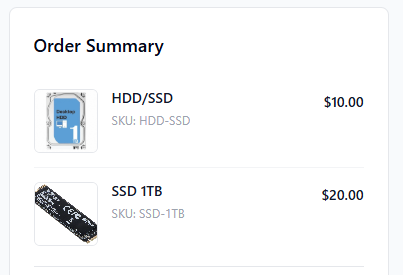
6. Enable Edit / Delete Products in Checkout
YES | NO |
|
|
Appearance
ConvertixCheckout for Hyvä Theme
This module is compatible only with Hyvä Theme. Luma-based storefronts are not supported.

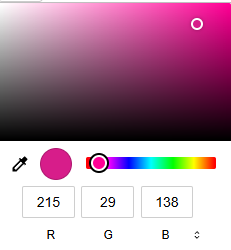
1. Primary Color
Unlimited color configuration using color picker.
2. Primary Button Text Color
Text color on primary buttons. Default: #ffffff.

Terms & Conditions
ConvertixCheckout for Hyvä Theme
This module is compatible only with Hyvä Theme. Luma-based storefronts are not supported.

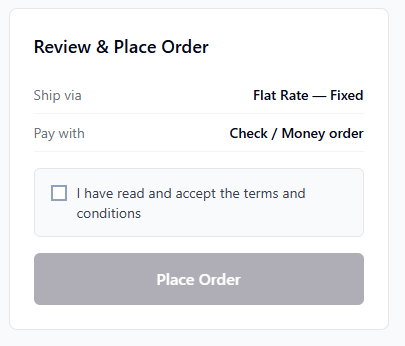
1. Enable Terms & Conditions Checkbox
When enabled, customer must accept T&C before placing the order.
2. Checkbox Label
You can set any Terms & Conditions text next to checkbox.
3. Terms Page URL
Set Terms & Conditions magento url or use external url instead.
Example:
/privacy-policy-cookie-restriction-modeOr external link:
https://your-external.link/terms-and-conditions.html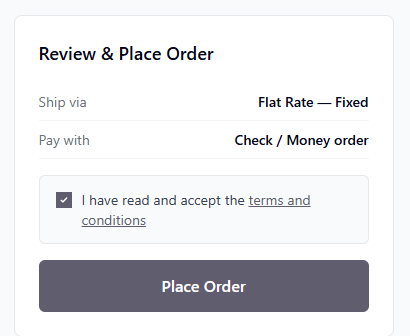
Success / Thank You Page
ConvertixCheckout for Hyvä Theme
This module is compatible only with Hyvä Theme. Luma-based storefronts are not supported.
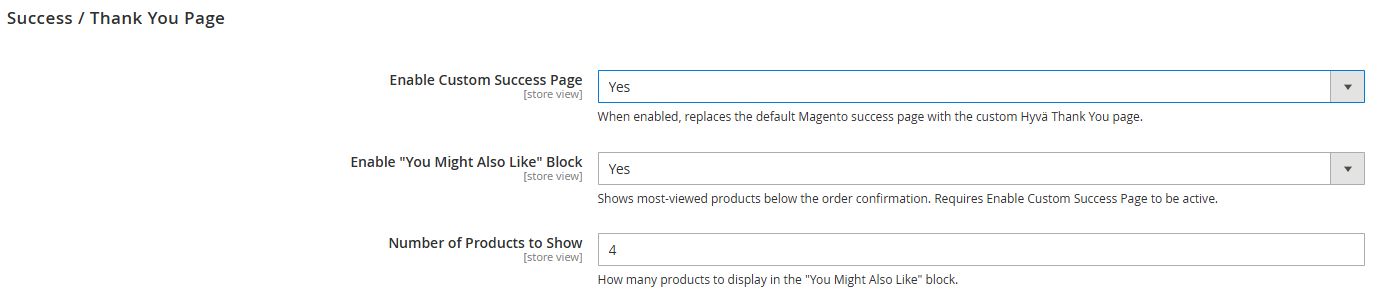
1. Enable Custom Success Page
When enabled, replaces the default Magento success page with the custom Hyvä Thank You page.
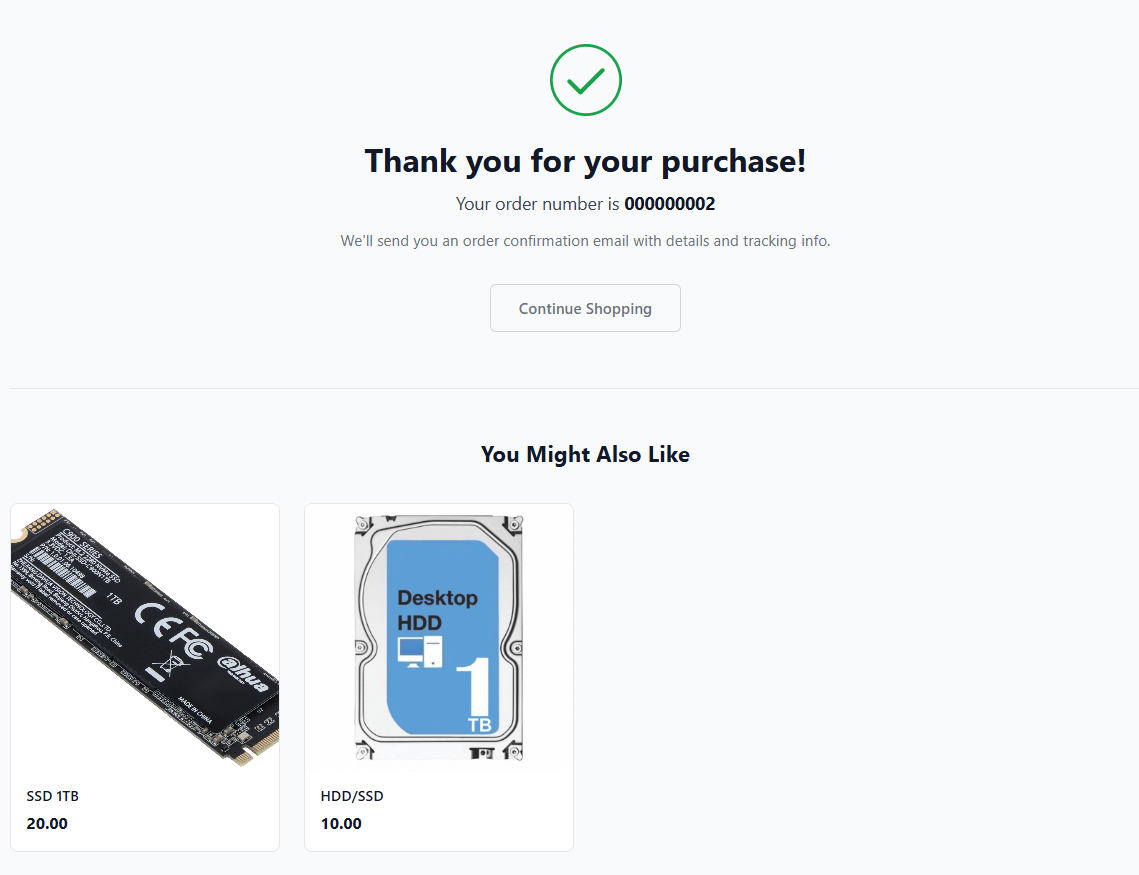
2. Enable "You Might Also Like" Block
Shows most-viewed products below the order confirmation. Requires Enable Custom Success Page to be active.
3. Number of Products to Show
How many products to display in the "You Might Also Like" block.